

Action Cards Widget
Action Cards is a widget that tells customers what matters most in their financial life right now, and what they should do about it. Where most of Bud's widgets are built to help a customer understand their existing financial position, Action Cards answers the "so what", surfacing prioritized, timely prompts such as topping up a balance before it triggers a fee, reviewing a duplicate charge, or catching a payment that hasn't arrived on time.
How it works
Bud continuously calculates the full range of insights available for a customer across their balances, income and spending. Action Cards sits on top of this and decides which of those insights are genuinely relevant to a customer at any given moment, surfacing only the most important ones rather than showing everything that could technically be said in order to avoid overwhelming the customer. Where relevant, each action card links back to the specific accounts and transactions used to calculate it, so the customer always has the supporting detail behind the message they're being shown.
Action cards are also designed to stay relevant automatically. Each card has a limited number of times it will be shown to a customer before it's retired, and this is tracked per customer as views accumulate. This means a customer is never repeatedly shown the same message indefinitely. Cards that go unacknowledged for long enough fall away, and the set of cards shown continues to reflect what's currently relevant rather than what was relevant when the customer first connected their accounts. We optimize this behavior for relevancy and engagement, not for maximising the number of cards shown.
Customizing which action cards are shown
Action Cards can be configured at two levels:
Client: Clients can choose which action card types are available to their customers, and can configure the same triggering thresholds used by the underlying insight (for example, the balance amount that triggers a Low Balance card). This can be done by raising a support request.
Customer: Within the widget, customers can manage their own preferences and turn off specific action card types they don't want to see, ensuring the action cards they’re shown are always most relevant to them.
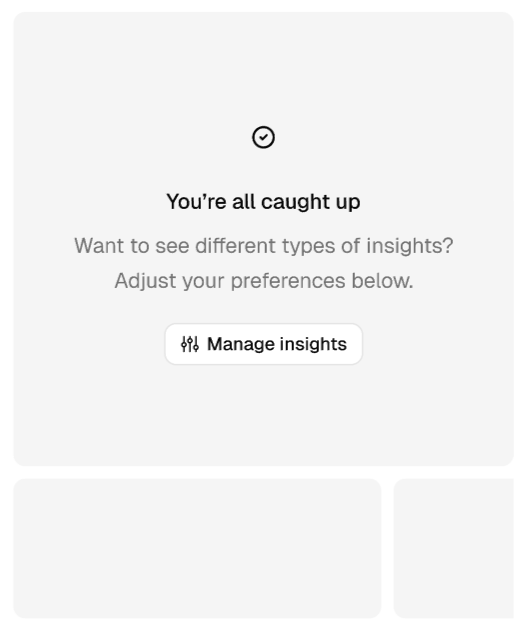
Managing action cards as a customer
Action card types
Action Cards supports a growing number of out of the box cards which will be added to over time. Clients can also create custom action cards through Drive using Campaigns. Current action cards include;
| Action card | What triggers it | Example title | Example content | Call to action |
|---|---|---|---|---|
| Low balance | An account balance drops below a configurable threshold. | Your Everyday checking balance is low. | You have $20 left in your Everyday checking account. Keep an eye on your spending to make sure it lasts until your next top-up. | - |
| Nearing credit limit | Credit utilization on a credit card exceeds a configurable threshold | You're nearing your Platinum credit card credit limit | You have $120 of credit remaining out of your $3000 limit. Going over may decline future transactions. Consider making a repayment to free up credit before you reach the limit. | - |
| Cannot cover payments | Forecasted balance won't cover predicted upcoming bills | You might miss a payment. | You have 5 regular payments due from your Everyday checking account over the next 12 days. As it stands, your current balance won't cover all of them, even with your expected income from 'Walmart'. To help avoid missing a payment, add at least $34 to your account within the next 12 days. | View [x] payments |
| Entered overdraft | An account balance has fallen below zero | You're in your Everyday checking overdraft | You've used $25 of your $200 overdraft limit, leaving $175 left before you reach it. Transfer money into your account to bring your balance back to zero. | - |
| Payment increase | A recurring payment's amount changes by more than a configurable percentage/amount | Netflix price increase. | You're now paying $20 a month for 'Netflix', up $3 from last time. This adds up to $36 more a year. Your next payment is expected in 26 days. | View payment |
| Regular income changed | A recurring income amount changes by more than a configurable percentage/amount | Your 'Walmart' income has gone up. | Your monthly income from 'Walmart' is now $2000, up $200 (a 9% rise) from last time. Over a year, that's $2400 more. | View payment |
| Late payment | A forecasted recurring payment hasn't arrived within a configurable window | Your 'Netflix' payment didn't go through. | Your 'Netflix' payment of $20 is usually charged around this time, but hasn't gone through yet. This could mean your payment details have changed, the payment is delayed, or it's no longer due. If you weren't expecting this, check with the recipient to make sure everything is up to date. | - |
| Late income | A forecasted regular income hasn't arrived within a configurable window | Your 'Walmart' income hasn't arrived. | Your income from 'Walmart' of $2000 is usually deposited around this time, but hasn't come through yet. This may affect paying upcoming bills. If this isn't expected, check with the income provider to confirm there's no delay. | - |
| Suspected duplicate charge | Two matching debit transactions (same amount, description, day) have occurred | You may have been charged twice. | You were charged $12 twice at 'Starbucks' on 04 July. If this wasn't intentional, contact 'Starbucks' to confirm which charge is correct and request a refund. | View payments |
| New merchant | A transaction from a merchant the customer hasn't previously used | New merchant: 'Starbucks' | You made your first payment to 'Starbucks' of $15. | View payment |
Please note, for some action cards there are multiple variations of the content depending on the customers set of transactions such as whether they have a regular income or the type of regular payments that they have. The examples shown above are just one of these variations.
As illustrated in both the table above and image below, where an insight relates to specific accounts or transactions these will be explicitly referenced in the copy or linked to as part of the CTAs of the action card.
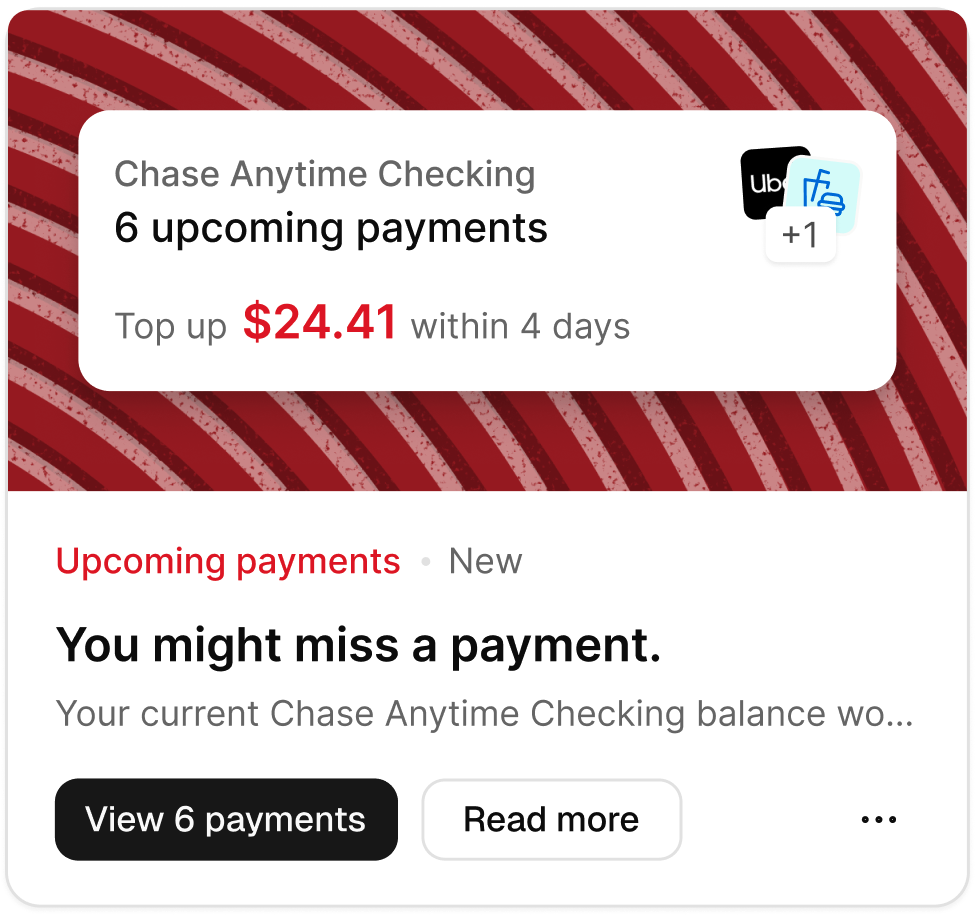
Example Action Card
Campaigns
Beyond the out of the box action cards, clients can create their own custom action cards through Campaigns configured in Drive. Campaigns appear in the same widget, alongside out of the box action cards, giving clients a way to surface their own bespoke messaging and promotions using the same experience customers are already familiar with.
When configuring a campaign within Drive clients have the option to define; the audience, priority, content, including headline, message, button text, button URL and image, as well as any triggers (the underlying logic) for the campaign.
Once a campaign has been delivered, clients are able to track the performance of the campaign within Drive on the performance tab, including; impressions, reach, impression rate, total clicks, unique clicks and click through rate.
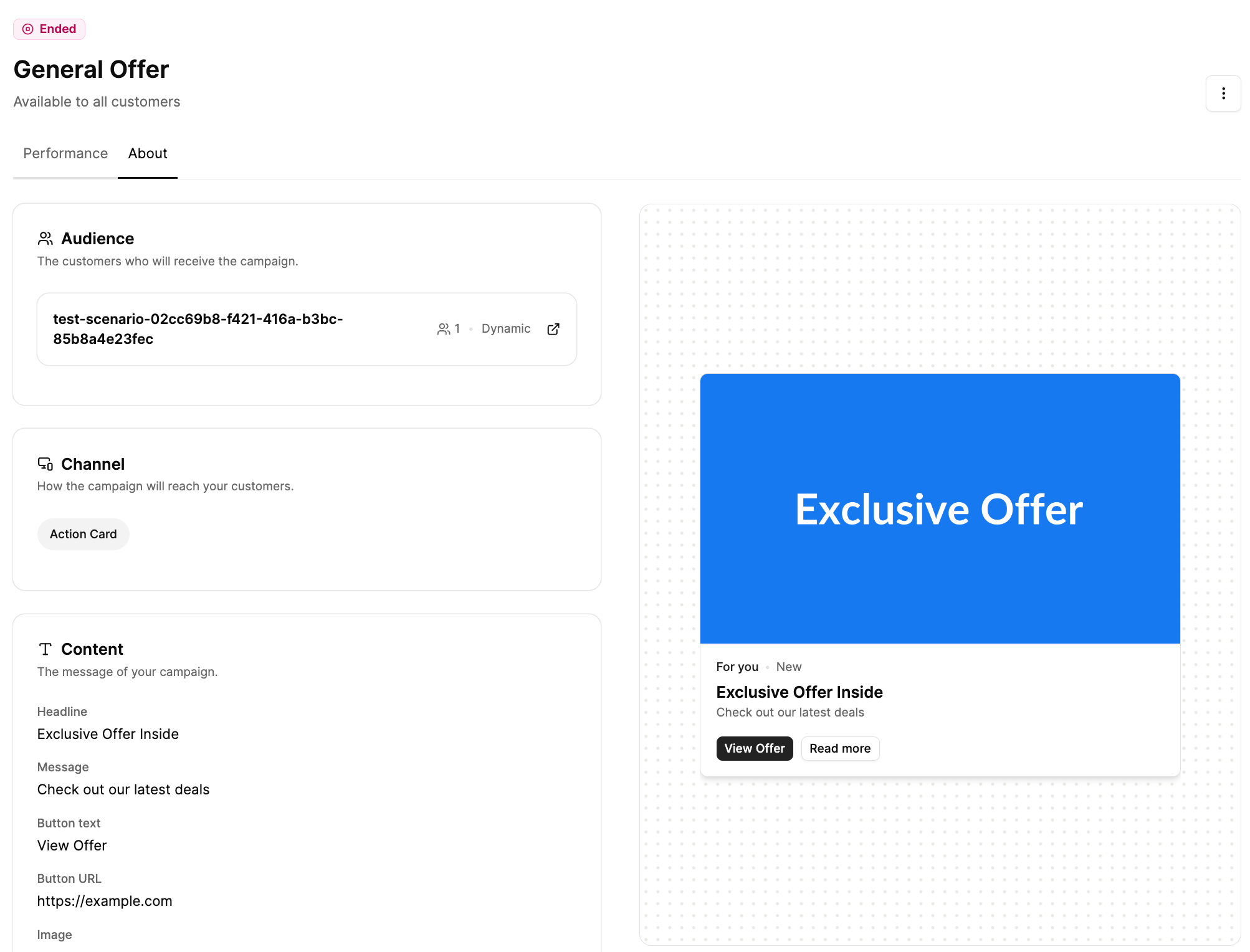
Configuring Campaigns within Drive
Prioritization and personalized ranking
When customers first start using action cards they will have a default ranking determining the priority that they’re shown. Over time, this order is personalized on a customer by customer basis, based on how that customer has previously engaged with cards, for example, cards a customer regularly dismisses will be shown less often, while cards they interact with are prioritized more prominently. This happens automatically and requires no extra configuration from clients. It ensures that each customer receives a truly personalized experience based on their own financial aims and interests.
If you have any questions, please contact us via the chatbot (bottom-right of screen 👉) or via a support request or check our FAQs.
Updated 2 months ago