

Savings Goals Widget
The Savings Goals widget enables customers to set and track progress towards personal savings goals, helping them stay accountable to the things they're saving for, whether that's a holiday, a car or a house deposit.
If you're interested in Savings Goals but do not wish to use Bud's widget you can integrate directly with our Savings Goals API's.
Bud's savings goals work as a ledger, they track how a customer allocates money within a deposit account towards specific goals. The widget doesn't move money between accounts.
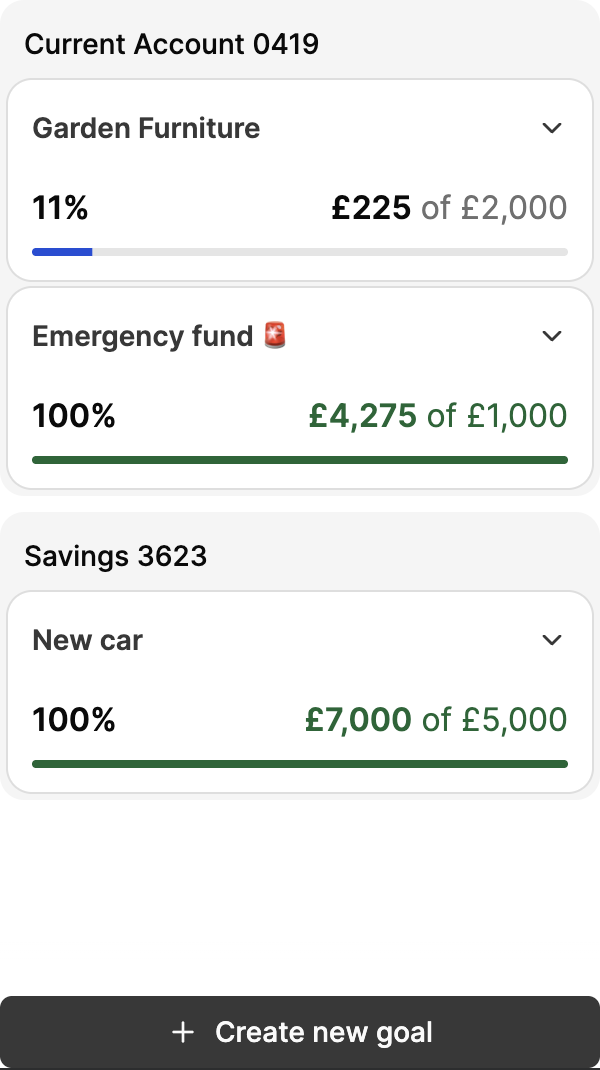
Goal overview
How it works
Creating a goal
-
If creating your first goal, click Create goal
- Otherwise, click + Create new goal at the bottom of the screen
-
Enter a name for your goal
-
Enter your target amount, click Next
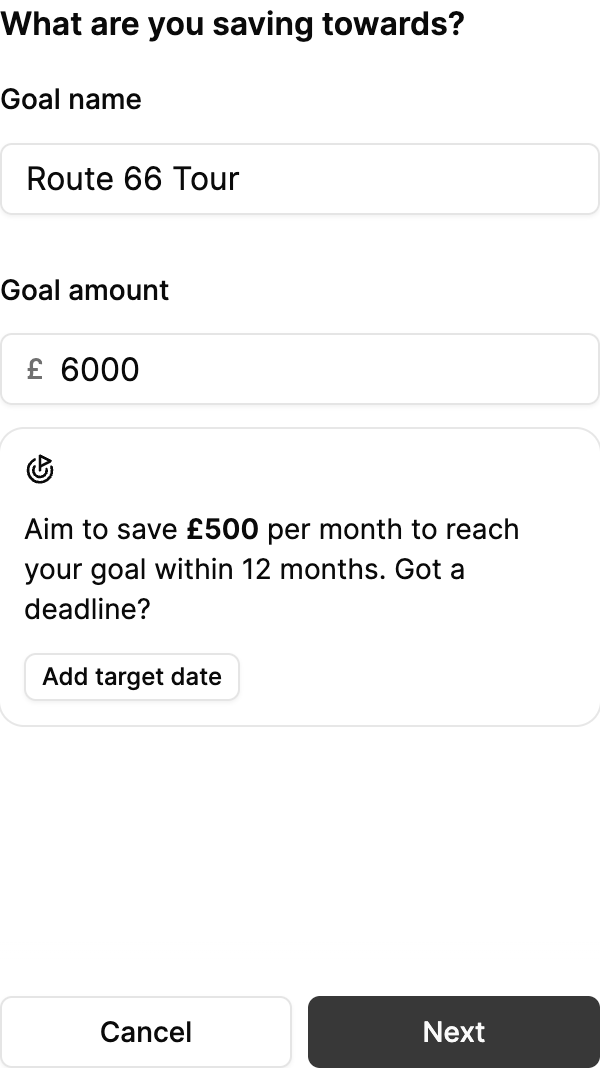
Creating a goal
-
Optionally, set a target date for when you'd like to reach your goal
-
Select the deposit account you'd like to link this goal to
-
If first savings goal, click Save goal
-
Otherwise, click Next
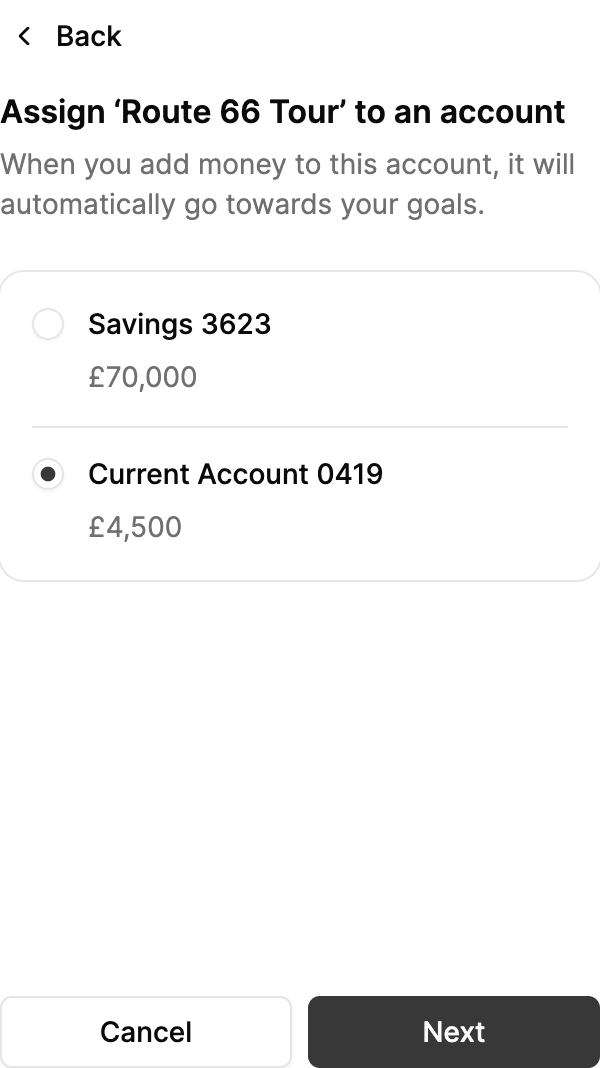
Assigning an account
-
-
If an account already has other goals assigned, select the accounts balance allocation for each goal associated with the chosen account
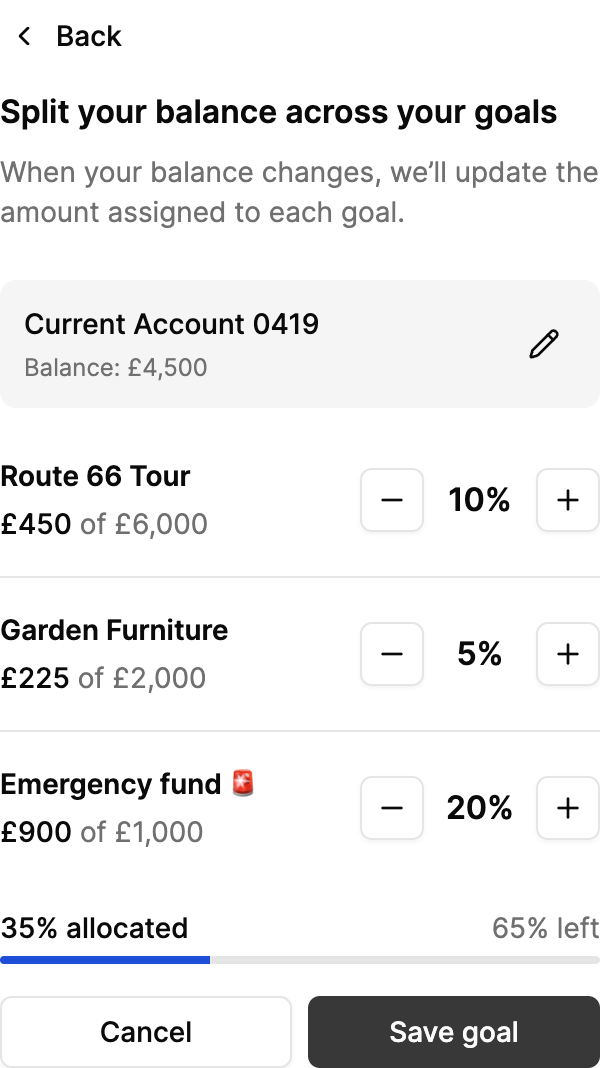
Balancing an account
Goal allocations are bounded by the balance of the linked deposit account. You can only allocate up to 100% of your accounts balance between all associated goals. The first goal for a chosen account will always be given 100% balance allocation.
Editing a goal
-
Expand the goal you'd like to edit
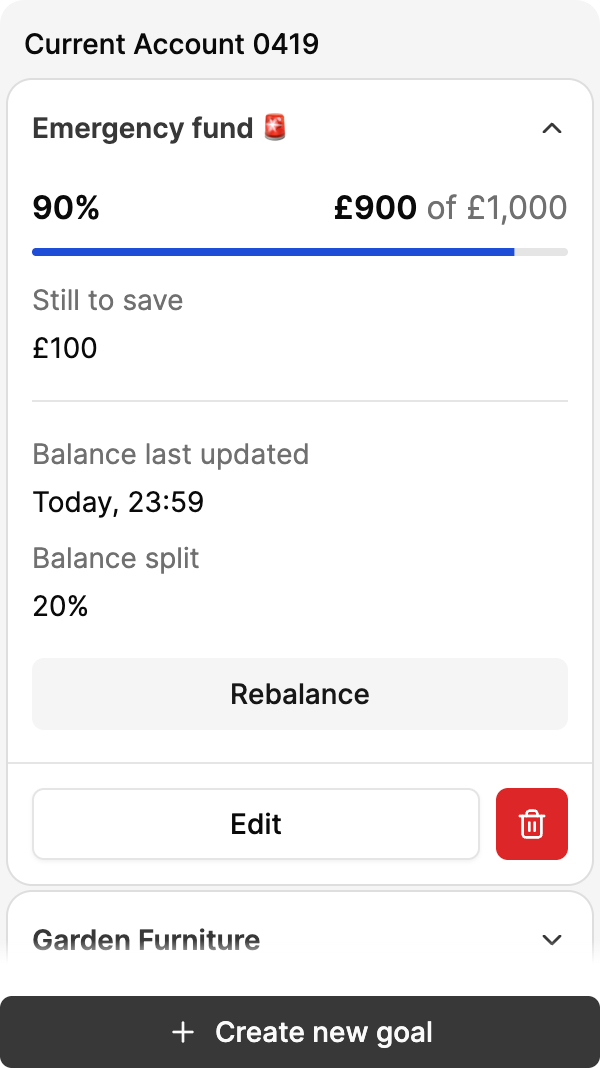
Editing a goal
-
Click Edit
-
Update the goal's name, target amount and date, linked account or balance allocation as required
-
Click Save Goal
Deleting a goal
-
Expand the goal you'd like to delete
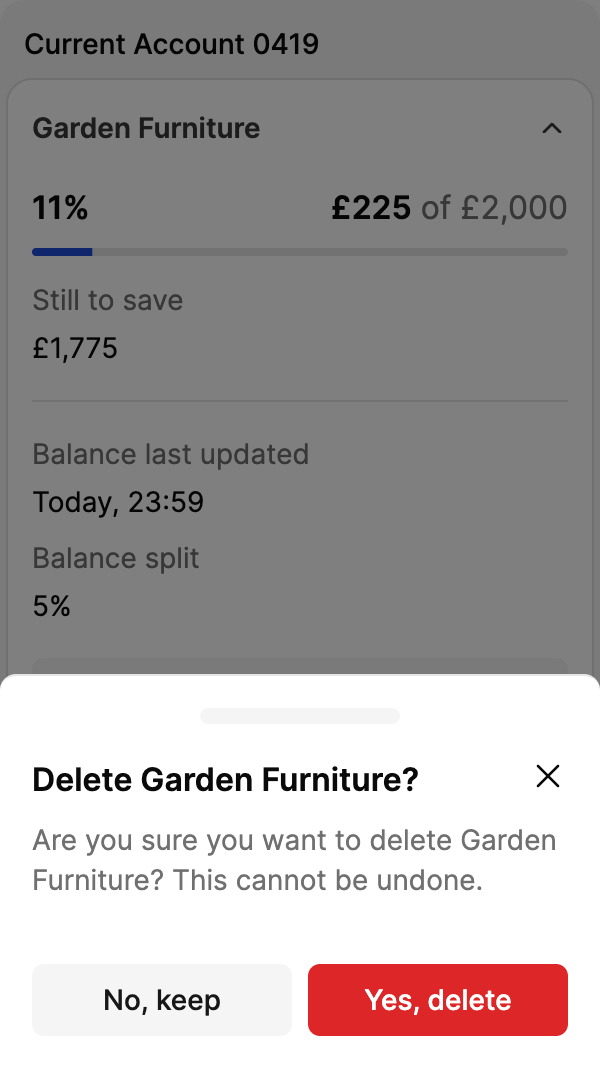
Deleting a goal
-
Click Delete
-
Confirm deletion by clicking Yes, delete
Updated 5 months ago