

Drive Dashboards
Everything covered in the API guides is something your team builds, calls, and displays inside your own systems. Drive also ships with a set of ready-made dashboards, called Boards, so Client Personnel can explore the same underlying customer data directly in the Drive UI, without writing any code.
Boards are preconfigured around common business needs, not one generic explore-everything view. Out of the box, Drive ships Boards including Overview, Risk and lending, Trends, Increase product usage, Grow merchant rewards, Wallet share, Benchmarking, Lifecycle, and Single Customer - so whatever your role, there's a starting point built for it. On the risk team, Risk and lending gives you risk indicators like debt collection and cash withdrawal activity at a glance. On the financial products side, Wallet share shows you how your customers' spend is distributed across merchants and categories - useful for a question like "what share of wallet do we have in savings?"
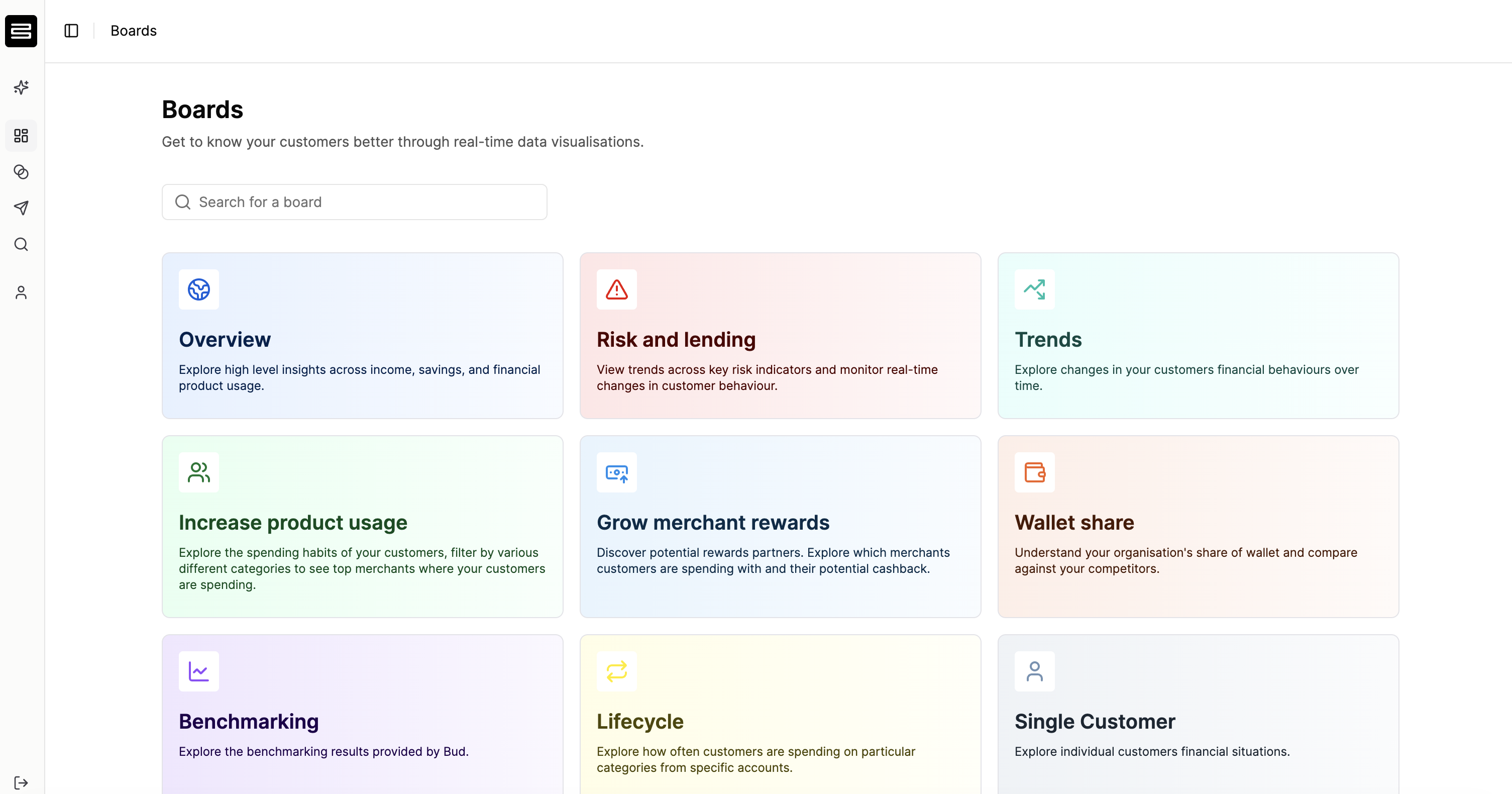
Each Board expands into more specific views. Risk and lending, for example, includes a Risk indicators view charting things like debt collection and cash withdrawal activity over time, with a calendar heatmap alongside the trend line. Wallet share includes a Share of wallet trends view, plotting merchants by transaction volume and wallet share so you can see at a glance who your customers are spending with, and how concentrated that spend is.
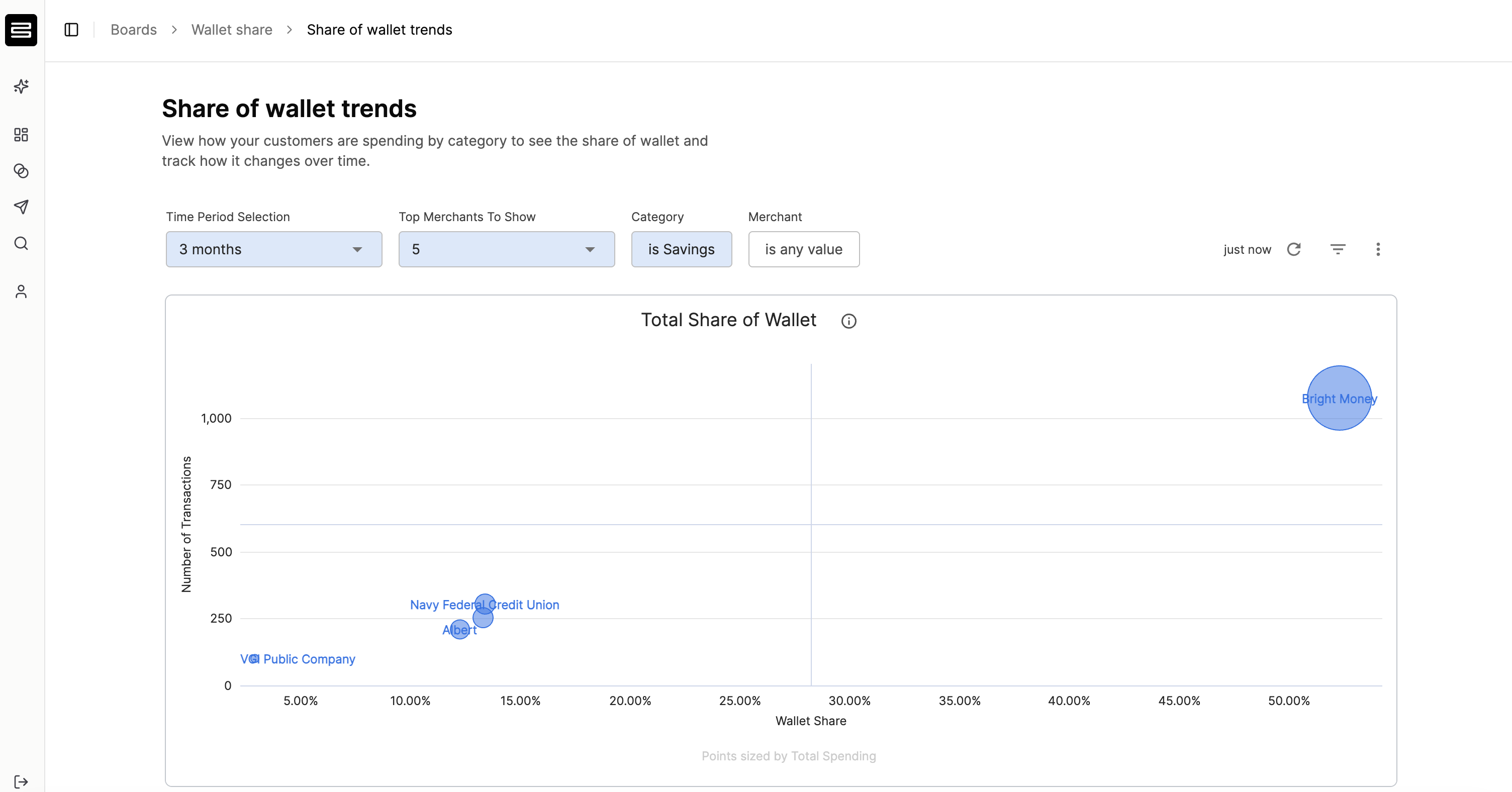
Every Board can be filtered by date range, and on most Boards you can filter further using Drive's core enrichment insights - category, merchant, account type, location, and more - to narrow in on exactly the slice of your customer base you care about (for example, filtering Share of wallet trends down to just the Savings category, or a specific merchant).
On some Boards, Drive Copilot is built directly into the view to explain what you're looking at and surface the highlights, so you don't have to interpret every chart yourself - see Introduction to Drive Copilot.
Boards are built for a quick, at-a-glance understanding of your customers - if you need something more specific than a preconfigured view offers, that's what building your own segment is for. See Creating your first Segment.
Updated about 1 month ago